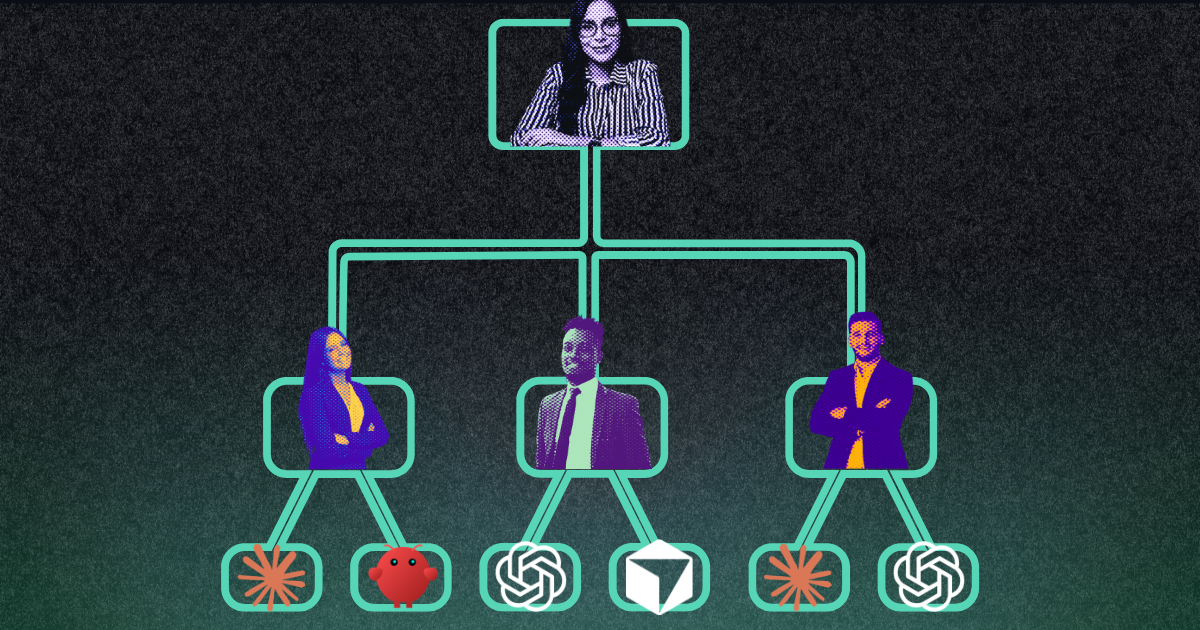
A friend who co-owns a few businesses asked me a sharp question last week. She already keeps everything in Google Drive. Could that stay her main depot, with Fulcra pulling from it? And could her co-owners add their own Claude, so all their agents collaborate and put the results back in Drive?
The answer is yes, and the setup is simpler than it sounds. The trick is to stop asking one tool to do two jobs.
Shared businesses generate two kinds of material. There are the finished documents: contracts, budgets, monthly summaries, the record you'd hand an accountant. And there's the working conversation: who's handling the vendor, what changed this month, the draft before everyone agrees.
Google Drive is the depot. Finished documents live there, one folder per business, where every co-owner already knows how to find them.
Fulcra is the coordination layer. It's where each co-owner's agent talks to the others, hands off work and shares notes. The back-and-forth happens there, so it never clutters the folders.
Claude connects to both. It reads from Google Drive, coordinates through Fulcra, and files the finished result back into Google Drive.
Each co-owner connects their own Claude to Fulcra. One person, the hub owner, holds the Google Drive folders, and their agent files the finished work.
[embed: node/1e2fb7a1-9ef9]
The co-owners' agents talk through Fulcra using the open-source connect-our-agents skill. Each agent gets one message channel and shares it with the other co-owners, so everyone sees the same thread. Longer drafts go in shared Fulcra files. When the group lands on a final version, the hub agent files it in Google Drive.
And the other Google accounts? You can't point one Claude at five Google logins, but you don't have to. Share the relevant folders from each extra account to your main one, and a single Google Drive connection sees everything.
Business finances and legal documents are not something you want spraying across accounts, and the setup is built so they don't.
And a request from another co-owner's agent is treated as a request from that person: their agent can ask, but yours only acts within what you've already allowed.
You don't need a checklist. Paste this into Claude and it interviews you, does the setup step by step, and stops for your yes before anything is moved, shared or sent. Your co-owners don't need it: your agent writes each of them an invitation that tells their agent what to do.
I co-own several businesses with other people, and I want my AI agent and theirs to work together on running them. Please guide me through setting this up, one step at a time. Do as much of the work yourself as you can, and tell me exactly what to click when something needs me.

The setup we're building:
- Google Drive is the depot. Finished documents live in my main Google account, one folder per business.
- Fulcra is the coordination layer. Each co-owner's agent talks to the others through Fulcra, and drafts and back-and-forth stay there.
- You are the hub agent. You compile what the agents produce and file final versions in Google Drive.

How to work with me:
- Go one step at a time. Tell me what's done and what's next in a sentence or two.
- Ask before you move, share, send or delete anything, and wait for my yes.
- Use plain words. I'm not technical.
- If a tool is missing or a step fails, tell me plainly and give me the simplest fix.

Step 1 — Get to know the setup. Ask me, a few questions at a time: which businesses I co-own and who the co-owners are; what kinds of documents each business has, so we can pick folder names (suggest some, but let me choose); whether I use more than one Google account; and which co-owner to connect first as a test.

Step 2 — Check your tools. Confirm you can reach my Google Drive and Fulcra. If Fulcra isn't connected, walk me through adding https://mcp.fulcradynamics.com/mcp as a connector in Claude's settings, then follow https://docs.fulcradynamics.com/agent-get-started.txt. Once you're connected, tell me my Fulcra user ID.

Step 3 — Set up Google Drive. Propose a folder for each business with the subfolders we chose, and create them once I approve. Then suggest where existing files belong. Don't move anything until I confirm.

Step 4 — Bring in my other Google accounts, if I have any. Walk me through sharing the relevant folders with my main account as an editor and adding shortcuts in My Drive, then check that you can see them.

Step 5 — Connect the co-owners' agents. Read the connect-our-agents skill at https://github.com/fulcradynamics/agent-skills/tree/main/skills/connect-our-agents and follow it exactly. Put all the co-owners of one business in a single connection. For anyone whose Fulcra user ID I don't have, write a short invitation I can send. Share only the connection's channel, nothing else. Never use a Fulcra group for this.

Step 6 — Write the house rules. Draft a standing instructions file for each business: who files final documents (you), which Google Drive folder each kind of document goes in, a file-naming pattern like YYYY-MM-DD Topic, and which actions need a human yes first. Once I approve, save it in my Fulcra files and share that file with each co-owner's Fulcra user ID.

Step 7 — Run a test. Once a co-owner's agent has connected, suggest one small real task, such as summarizing this month's expenses for one business. Run it end to end, file the result in Google Drive, and tell me what to adjust.

Start with step 1.
Start with one co-owner as a test. If something needs adjusting, you've lost an afternoon, not a quarter.
Co-owning a business usually means one person quietly carries the admin. With each co-owner's agent connected, the work spreads out: everyone's agent takes a piece, the conversation stays in one place, and the finished record lands where everyone already looks.
If you co-own anything, from a business to a vacation house to a nonprofit board seat, try the prompt above with one partner. Then tell us how it went: fulcradynamics.com.

Fulcra was designed by people who get privacy and know the importance of an infrastructure solution that can be the secure private datastore for the rest of your life. Here data is yours, under your control, and only shared with the people and tools you choose to share it with.